🚀 BroTube: YouTube on Steroids | Chat, Search, Sentiment Analysis & More
Welcome to BroTube — a next-gen YouTube experience where you can chat with transcripts, analyze sentiments of comments, search videos intelligently, and store knowledge for dynamic conversations!
In this blog post, Your Lordship 👑 unveils the full architecture and workflow of BroTube.
🔗 Project Links
- Live Link
- GitHub Repository Frontend
- GitHub Repository Backend Server
- GitHub Repository Backend Chat Server
- Video Demo
⚡ Tech Stack Overview
-
Backend:
- Python FastAPI (core backend service)
- LangChain (orchestrating RAG pipelines)
- Llama 3.3 (LLM for advanced reasoning)
- YouTube API (fetching video details, transcripts, comments)
- Redis (for caching results)
- Sentiment Analysis (TOT + LangChain tools)
-
RAG Chat App:
- Mastra AI (based on Hono.js server)
- OpenAI Ada-002 (for embeddings)
- GPT-4o and Mini models (for answers and small reasoning tasks)
- PostgreSQL + pgvector (vector storage for embeddings)
- Memory feature (persistent chat context)
-
Frontend:
- Next.js 14
- Shadcn UI (beautiful components)
- TailwindCSS (styling)
-
DevOps:
- Dockerized services
- GitLab CI/CD Pipelines
- EC2 Deployment (AWS)
🛠️ Workflow Deep Dive
1. Video Search (FastAPI)
- User enters a query on the Next.js frontend.
- Request is sent to the FastAPI backend, which:
- Checks Redis cache for existing search results.
- If found → returns cached results.
- If not found → fetches fresh results from YouTube API, then caches them with a TTL.
2. Fetching and Storing Transcripts
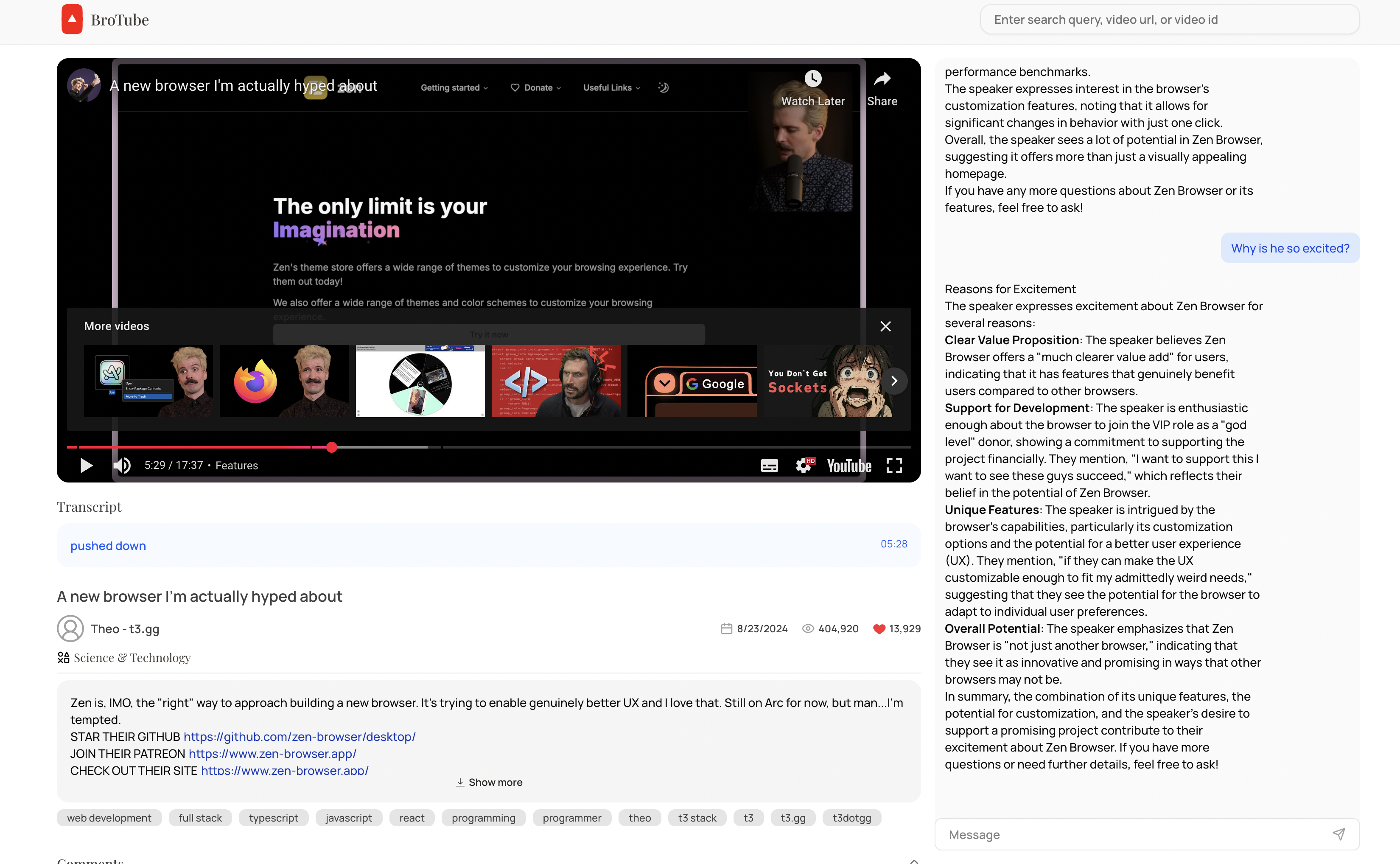
- When a user selects a video:
- FastAPI backend fetches the video transcript from YouTube (or other transcript services).
- First-time fetch → transcript is stored in PostgreSQL database.
- Future accesses → transcript is directly retrieved from the database, avoiding redundant API calls.
3. Comment Sentiment Analysis (FastAPI)
-
After fetching the video:
- FastAPI also fetches top-level comments.
- Comments are processed through a LangChain ToT pipeline using Llama 3.3.
- Outputs for each comment:
- Sentiment Label (Positive / Neutral / Negative)
- Reasoning explanation (short text)
-
Results are sent back to the frontend for display.
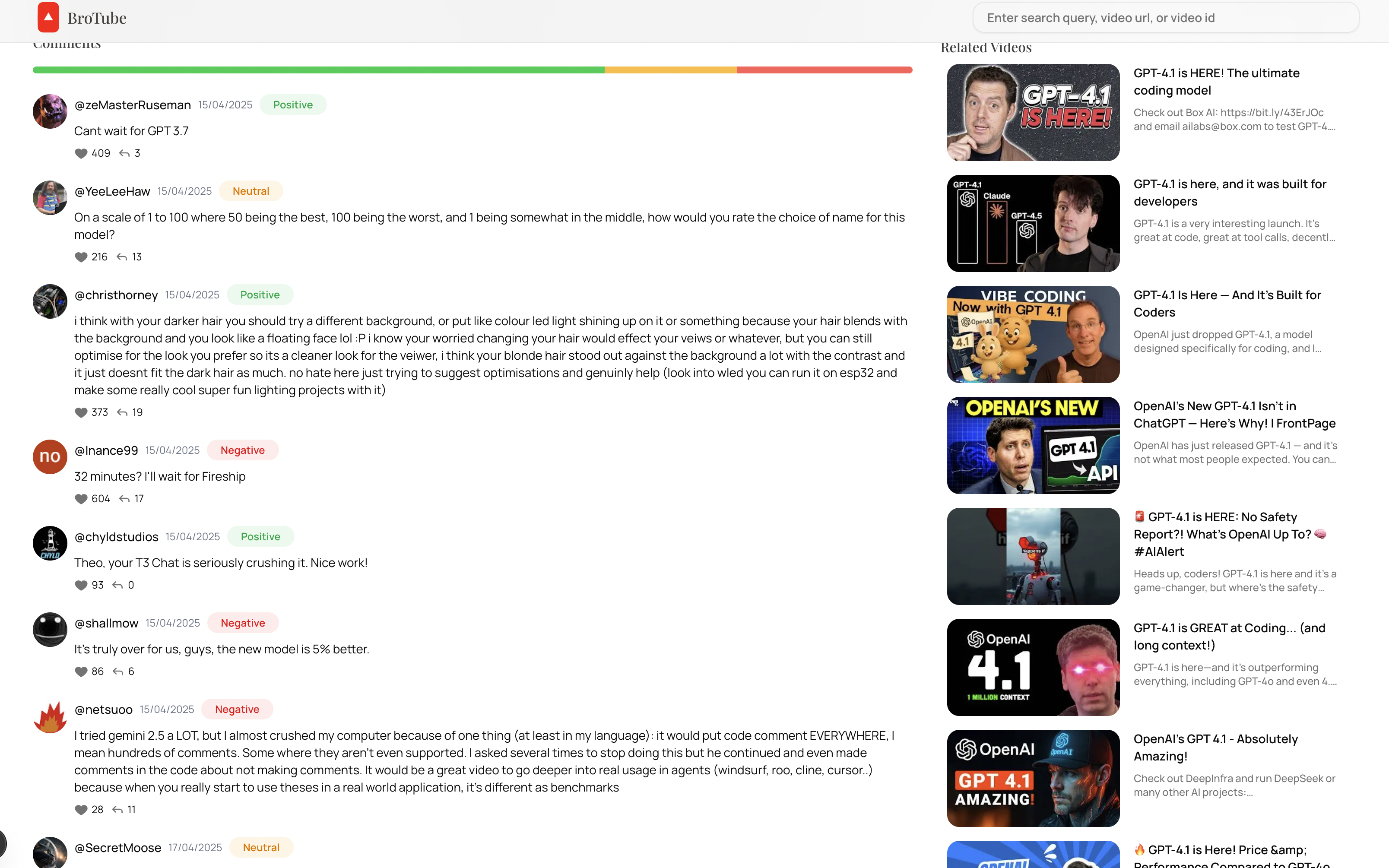
Comment Sentiments
4. Chatting with Video Transcripts (Mastra AI Server)
-
User opens the chat interface connected to the Mastra AI server.
-
The flow:
- Transcript is chunked and embedded via OpenAI Ada embeddings.
- Embeddings are stored in pgvector inside PostgreSQL.
- When the user asks a question:
- Relevant transcript chunks are retrieved (RAG Retrieval).
- The context + user query is passed to GPT-4o or Mini model.
- Answer is generated and returned to the frontend.
-
Memory Feature:
- Past chats are maintained and reused to give continuity to conversations.
5. Frontend Magic ✨
- Built with Next.js 14 + Shadcn UI for components.
- Styled with TailwindCSS.
- Features:
- Video search and listing
- Video player with synced transcripts
- Sentiment analysis visualization for comments
- Chat interface to interact with the transcript intelligently
6. DevOps: Deployment and Scaling
- Backend (FastAPI) and chat server (Mastra AI) are Dockerized separately.
- CI/CD Pipeline via GitLab:
- Build → Test → Push Docker images → Deploy to EC2 instance.
- Deployed with AWS EC2, Nginx reverse proxy, optional PM2 for node services.
🧠 Diagram (High-Level Architecture)
[User]
   ↓
[Next.js Frontend]
   ↓
[FastAPI Backend]
  ├──> YouTube API (for videos, comments)
  ├──> Redis (cache YouTube search)
  ├──> PostgreSQL (store transcripts)
  └──> Sentiment Analysis (LangChain + Llama 3.3)

[Mastra AI Chat Server]
  ├──> Fetch transcript chunks from pgvector
  ├──> Use GPT-4o/Mini for chat generation
  └──> Maintain memory for smooth conversations